On This Page
- 1. Server-Level Caching That Eliminates Bottlenecks
- 2. Current PHP Versions With Automatic Management
- 3. Integrated Content Delivery Network
- 4. Managed Firewall Protection
- 5. Optimized Database Configuration
- 6. Automated Malware Scanning and Removal
- 7. Automatic Updates With Built-In Rollback
- The Intersection of Speed and Security
Speed and security are often treated as separate concerns, managed by different plugins and addressed at different stages of a project. But the most effective solutions for both originate from the same place: the hosting environment. When your hosting infrastructure is purpose-built for WordPress, it delivers performance and protection as native capabilities rather than afterthoughts bolted on through third-party tools.
Generic hosting can run WordPress, but running it well requires a platform engineered around the specific demands of the CMS. From server architecture to threat detection, the right hosting environment improves speed and security simultaneously in ways that plugins alone simply cannot achieve.
Here are seven ways WordPress-optimized hosting delivers on both fronts.
1. Server-Level Caching That Eliminates Bottlenecks
Plugin-based caching helps, but it still operates within the application layer, meaning PHP must execute before the cache is even consulted. Server-level caching bypasses this entirely. Full-page caching stores pre-rendered HTML in memory and serves it directly to visitors without triggering WordPress at all. Object caching through Redis or Memcached keeps frequently queried data instantly accessible, reducing repetitive database calls.
This architecture does not just speed up page delivery; it also enhances security by reducing the number of active PHP processes and database connections during traffic surges. Fewer active processes mean fewer opportunities for exploitation and a server that remains stable under pressure.
2. Current PHP Versions With Automatic Management
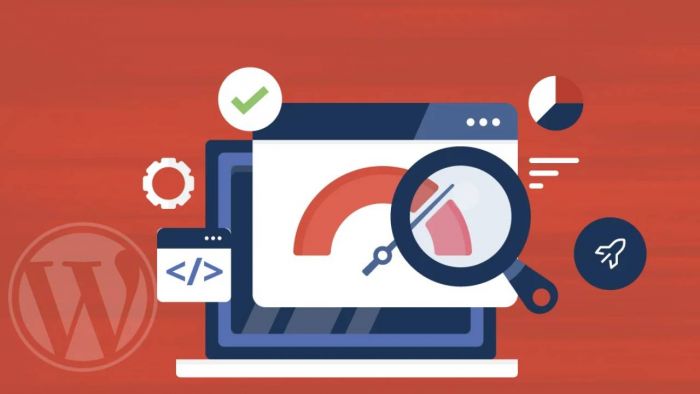
Every major PHP release brings measurable speed improvements and critical security patches. WordPress sites running outdated PHP versions are both slower and more vulnerable, a dangerous combination. WordPress-optimized hosting keeps PHP current, often managing version upgrades automatically or making them available with simple one-click switching.
This removes the burden of tracking PHP release cycles from site operators while ensuring that every hosted site benefits from the latest performance gains and security fixes. It is a straightforward improvement that pays dividends on both speed and protection simultaneously.
3. Integrated Content Delivery Network
A CDN distributes your site's static assets across a global network of edge servers, reducing the physical distance data must travel to reach each visitor. Pages load faster for audiences regardless of their location, and your origin server is freed from serving every request directly.
From a security perspective, CDNs also absorb and filter malicious traffic before it reaches your server. Many CDN configurations include built-in DDoS mitigation that identifies and blocks attack traffic at the network edge, preventing volumetric attacks from overwhelming your infrastructure. Speed and security improve in tandem without any additional configuration.
4. Managed Firewall Protection
WordPress-optimized hosting platforms typically include server-managed firewalls that filter traffic before it reaches your sites. These firewalls are tuned specifically for WordPress threat patterns, blocking SQL injection attempts, cross-site scripting attacks, and brute force login campaigns based on rulesets that are continuously updated as new threats emerge.
Because the firewall operates at the server level, it protects every hosted site uniformly without requiring individual plugin installations. This is particularly valuable for teams managing multiple properties. A dedicated WordPress hosting for agency workflows ensures that firewall rules apply consistently across an entire client portfolio, eliminating the risk that one overlooked site becomes the vulnerability that compromises the rest.
5. Optimized Database Configuration
WordPress relies heavily on its MySQL or MariaDB database for everything from content retrieval to user authentication. Default database configurations prioritize compatibility over performance, which means most generic hosting environments leave significant speed on the table.
WordPress-specific hosting fine-tunes database settings for CMS query patterns, optimizing buffer sizes, connection pooling, and query caching to deliver faster response times under real-world conditions. A well-configured database also reduces the risk of slow-query vulnerabilities that attackers can exploit to overwhelm server resources, making optimization a security measure as much as a performance one.
6. Automated Malware Scanning and Removal
Security threats evolve daily, and manual scanning cannot keep pace across multiple sites. WordPress hosting platforms with built-in malware detection run continuous automated scans that check file integrity, compare code against known threat signatures, and flag suspicious modifications in real time.
When malware is detected, automated quarantine and removal processes contain the threat before it can spread or impact site performance. Infected sites often suffer dramatic slowdowns as malicious scripts consume server resources, so catching and removing malware quickly is not just a security win; it is a performance recovery measure that keeps every site running at full speed.
7. Automatic Updates With Built-In Rollback
Outdated WordPress core files, plugins, and themes are simultaneously the most common source of security vulnerabilities and a frequent cause of performance degradation. WordPress hosting platforms that automate updates address both risks at once, applying patches across all hosted sites on a managed schedule.
The best implementations pair automated updates with pre-update snapshots and automatic rollback capabilities. If an update introduces a conflict, the system reverts to the previous stable state without manual intervention. This safety net encourages teams to stay current rather than postponing updates out of fear that something might break.
The Intersection of Speed and Security
Speed and security are not competing priorities; they are complementary outcomes of the same well-engineered hosting environment. Server-level caching, current software stacks, CDN integration, managed firewalls, optimized databases, automated threat detection, and intelligent update management all work together as an interconnected system. When your WordPress hosting handles these fundamentals at the infrastructure level, your sites are faster because they are secure, and more secure because they are fast. That is the advantage of hosting built specifically for the platform it serves.
Post Comment
Be the first to post comment!