Video has become the default content format across every platform that matters, and the expectation gap between what audiences want to watch and what most creators can realistically produce has never been more obvious. Hiring a video editor is expensive. Learning a professional tool like Premiere Pro takes months of practice before you produce anything worth publishing. And most of the "easy" video apps are either too limited to be useful or just complicated enough to be frustrating.
The category that has genuinely solved this problem is browser-based online video makers — tools that handle the technical work of video production through an interface anyone can navigate, without requiring software installation, hardware investment, or a design background. The quality ceiling has risen significantly in the past two years, and the best tools in this space now produce output that's genuinely suitable for professional use.
What to Actually Look for in an Online Video Maker
Most reviews of video tools focus on feature lists. What matters more for daily use is a different set of questions: How fast can you go from a blank project to a finished video? How much does the tool get out of your way when you know what you want? And how does the output look when you put it next to professional content?
The tools worth using share a few practical characteristics. They need to handle multiple aspect ratios natively — you're not publishing the same video on YouTube and Instagram Stories without format differences, and a tool that requires manual cropping for each platform creates friction that compounds over time. They need caption generation that's accurate enough to publish without extensive correction, because captioned video outperforms uncaptioned video on every major platform. And they need to export in formats and resolutions that don't require a second step before distribution.
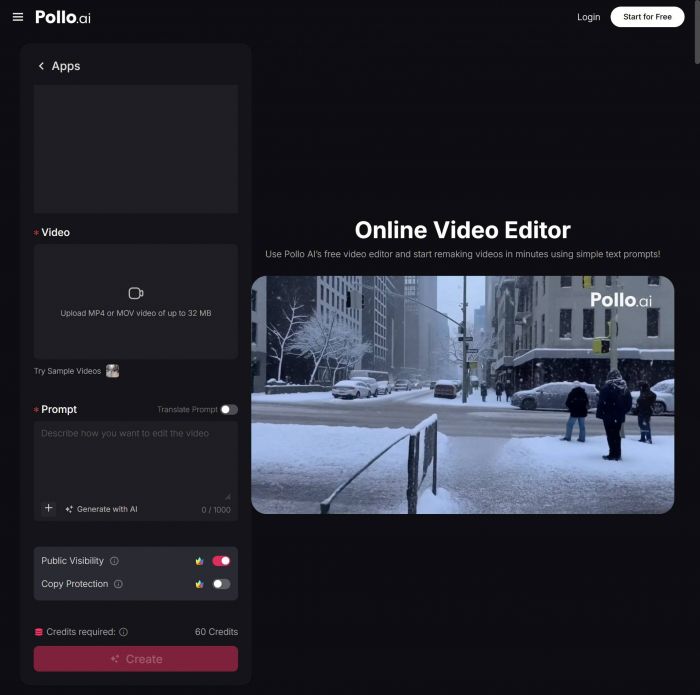
The Online Video Maker on Pollo AI addresses the workflow problem specifically. It's built for creators who need to produce video consistently rather than occasionally — the interface prioritizes speed of production over depth of features, which is the right trade-off for content teams and solo creators who need to publish regularly. Pollo AI's tool handles the format requirements of different platforms automatically, generates captions, and exports in distribution-ready quality. For someone who needs to produce three to five videos per week rather than one per month, that workflow efficiency compounds into meaningful time savings. Pollo AI has positioned this as a professional production tool rather than a hobby app, and the output quality reflects that.
The Use Cases That Online Video Makers Handle Best
Understanding where browser-based video tools deliver the most value helps prioritize where to adopt them in a production workflow.
Social media content volume is the strongest use case. Maintaining a consistent presence across LinkedIn, Instagram, TikTok, and YouTube requires a volume of video that traditional production can't sustain economically for most creators and small teams. Online video makers make it feasible to produce platform-native content in each format without a separate edit for each platform.
Blog and article repurposing is where the ROI is often highest. A well-researched article already contains the content for a video — the key points, the supporting data, the structure. Converting that existing written work into video extends its reach to audiences who don't read long-form content, without requiring new creative development. The production time is minimal when the content already exists.
Product and service explainers benefit from video in a way that's well-documented in conversion rate data. A short video on a landing page or product detail page that explains what something does and why it matters consistently outperforms text-and-image alternatives for time-on-page and conversion rate. Online video makers make it economical to produce this kind of video for every product or service rather than just the flagship offering.
Event and announcement content has a short production window — the value of a conference recap or a product launch announcement video diminishes quickly after the event. Browser-based tools that produce finished video in the same session as the editing work allow this time-sensitive content to be published while it's still relevant.
How FlexClip Fits Into This Category
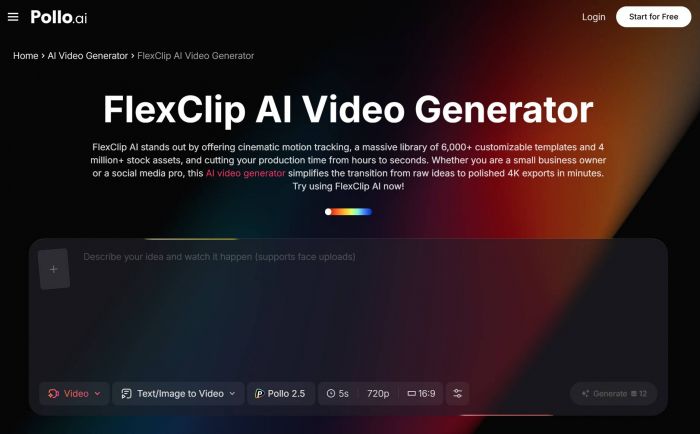
For creators who want more template depth and stock asset integration than a pure production tool provides, FlexClip, accessible through Pollo AI, takes a different approach to the same problem. Its strength is in the breadth of its template library and the integration of licensed stock footage and music, which makes it particularly useful for promotional content, marketing videos, and polished presentation-style output where starting from a professional template is faster than building from scratch.
Where Pollo AI's Online Video Maker emphasizes production speed for teams with their own content, FlexClip emphasizes the creative starting point — giving users a professionally designed framework that they customize rather than building from a blank canvas. The difference matters in practice: if you're creating video from footage you've already shot or assets you already have, a lean production tool serves you better; if you need a polished finished product and don't have source material to start from, template-based tools like FlexClip close that gap. Pollo AI providing access to both tools in the same ecosystem means you can match the approach to the project type rather than being constrained by a single workflow model.
Getting Your First Video Published in Under an Hour
The specific barrier that keeps most people from actually building a video production habit is the first session. Once you've produced and published a few videos, the workflow becomes familiar and the time investment per video drops significantly. Getting to that point efficiently matters.
A practical first session looks like this: identify a piece of written content you've already produced — an article, a LinkedIn post, a newsletter issue, a product description — and use it as the script for your first video. Don't try to write new content for video from scratch in your first session. The written content already has structure and information value; your job in this session is to learn the production tool, not to develop new content.
Set a time limit of 45 minutes and commit to publishing whatever you produce within that limit, even if it's not perfect. The feedback loop from seeing a video you made go live — and watching it get views, even modest ones — does more to build the habit than any amount of planning or tool evaluation. The first video is never the best one; it just needs to exist.
After the first session, a realistic expectation for ongoing production time is 15 to 30 minutes per short-form video for someone who has learned their tool's workflow. The initial learning investment pays off quickly, and the compounding value of a consistent video library — in search visibility, audience familiarity, and platform algorithm performance — makes that time investment worthwhile for almost any content-driven business or creator.
Measuring Whether the Tool Is Working for You
The right metric for evaluating an online video maker isn't whether the output is technically impressive — it's whether the tool actually changes how much video you publish. A tool you use enthusiastically for two weeks and then abandon because the workflow is too demanding hasn't delivered value regardless of its feature set. A simpler tool that you use consistently for six months has delivered significant value even if it can't match the technical capabilities of a more complex alternative.
Track two things in your first month: how many videos you publish, and how much time you spend per video. If the number of videos is increasing and the time per video is decreasing, the tool is working. If either metric is moving in the wrong direction, either the tool or the workflow around it needs adjustment.
The tools exist, the quality is there, and the distribution channels reward consistent video output more than ever. The remaining variable is whether the production workflow is simple enough to actually use — and that's exactly the problem that browser-based online video makers were built to solve.
Post Comment
Be the first to post comment!





