On This Page
- How we picked the six standouts
- Find your fit at a glance
- GoSkills LMS – user-friendly training with a free plan
- TalentLMS – affordable all-in-one training for growing teams
- 360Learning – crowd-sourced learning at enterprise speed
- Docebo – enterprise-grade personalization without the IT headache
- SAP Litmos – compliance content on tap
- LearnUpon – one hub, many audiences
- Conclusion
- FAQ
- 1) What is a cloud-based LMS?
- 2) Why are cloud LMS platforms dominating the market?
- 3) What are the biggest LMS trends for 2026?
- 4) How do I choose the right LMS for my company?
- 5) Which platform is best for small teams or startups?
- 6) Which LMS is best for compliance training?
- 7) Which LMS has the strongest AI features?
- 8) Which LMS is best for collaborative course creation?
- 9) Do these LMS platforms support SCORM or xAPI?
- 10) What’s the difference between “registered users” and “active users” pricing?
- 11) Can I train external customers or partners using these LMS platforms?
- 12) What features should be non-negotiable in 2026?
- 13) Should I prioritize AI, content library, or integrations?
- 14) How long does it usually take to implement a cloud LMS?
Most learning already lives online: 87 percent of LMS customers run in the cloud today, and analysts project the market will jump from US $24 billion in 2024 to roughly US $70.8 billion by 2030 (MarketsandMarkets, 2025). AI is pushing that growth further; 80 percent of L&D leaders now say AI-powered reporting is non-negotiable, and close to half of all platforms include machine-learning features (Training Industry, 2025). One clear illustration comes from GoSkills, whose Genie assistant turns a policy PDF or slide deck into a structured course with an auto-generated quiz in just minutes (GoSkills, 2025; TechBullion, 2025). This guide spotlights six cloud-native LMS options likely to matter in 2026 and matches each one to the training gaps you face, so you can build a defensible shortlist fast.
How we picked the six standouts
First, every contender had to be 100 percent SaaS and support growth from a 10-learner pilot to tens of thousands of seats. Tools that missed this baseline were removed.
We then measured the remaining vendors against six pillars of value:
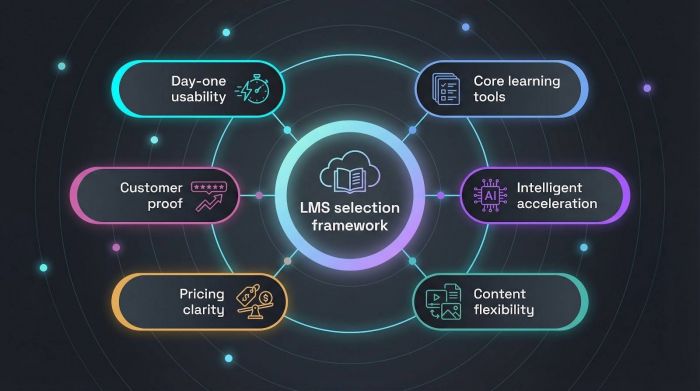
1. Day-one usability – can a new admin publish a course in under an hour without help from IT?
2. Core learning tools – authoring, assessments, and progress dashboards must be built-in, not add-ons.
3. Intelligent acceleration – AI course builders, adaptive paths, and analytics that surface skill gaps.
4. Content flexibility – either a trusted library or effortless SCORM/xAPI and multimedia imports.
5. Pricing clarity – transparent tiers, realistic free trials, and no surprise fees for essentials like SSO.
6. Customer proof – frequent releases, strong third-party ratings, and documented business outcomes.
Only the platforms that met all six pillars and showed clear momentum in the last 12 months advanced to the comparison table.
Find your fit at a glance
Pressed for time? The table below pairs each cloud-based LMS with the problem it solves, so you can build a confident shortlist before diving into the full reviews.
| Platform | Stand-out strength | Sweet spot (learners) | AI & analytics tier | Free plan | Key 2025–26 update* |
| GoSkills LMS | Quick rollout for skills training | 10–1,000 | Essentials: auto-quiz builder, smart dashboards | Yes, unlimited courses; pay once you exceed 10 users | Larger course library with accredited micro-certs |
| TalentLMS | Budget-friendly all-in-one suite | 5–2,000 | Entry-level AI course wizard | Yes, 5 users / 10 courses | New automation rules for reminders and certificates |
| 360Learning | Peer-driven course co-creation | 200–10,000 | Advanced question generator, skill-gap alerts | No | Live feedback loops inside lesson pages |
| LearnUpon | Multi-audience portals | 500–20,000 | Mid-tier insights per portal | No | Faster webinar integrations and partner tracking |
| SAP Litmos | Compliance content ready to use | 200–30,000 | Virtual coach, risk dashboards | No | Larger pre-built catalog after 2023 spin-off |
| Docebo | Enterprise-level personalization | 1,000–50,000 | Skills graph and content recommendations | No | New interface and deeper HRIS connectors |
Feature updates sourced from vendor release notes and 2025 Q4 press announcements.
GoSkills LMS – user-friendly training with a free plan
GoSkills helps teams publish a first course the same day they sign up, and a 4.8-star average from 288 reviews on the GoSkills listing on G2 supports the ease-of-use claim.
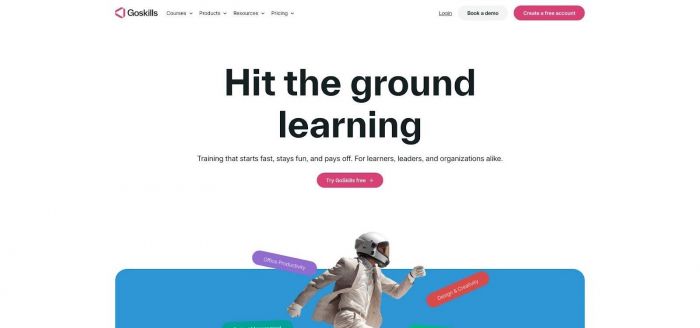
What the free tier includes: At no cost, you can build unlimited custom courses, add up to 10 lessons from the GoSkills library, and track progress with core reports and gamified micro-certs—no credit card required. When you exceed 10 active users, the Pro plan starts at US $583 per year and unlocks SSO, custom branding, and advanced analytics.
Authoring with Genie: Drop in a PDF or type a prompt, and Genie, the built-in AI course builder, drafts an outline, lesson text, and quiz questions in minutes. Real-time dashboards then highlight learners who need extra help.
Service with receipts: G2 users give GoSkills a 9.4/10 for Quality of Support, one of the highest scores in the LMS category. Most tickets receive a human reply the same business day, and release notes show a steady stream of user-requested improvements.
Choose GoSkills when speed, simplicity, and predictable costs matter more than heavyweight enterprise features; you will move from “we need training” to measurable progress without leaning on IT.
TalentLMS – affordable all-in-one training for growing teams
TalentLMS starts free for up to 5 users and 10 active courses, so you can pilot onboarding or product lessons without a purchase order. When training needs grow, the Core plan costs US $119 per month for up to 40 registered users, a price well below most enterprise contracts.
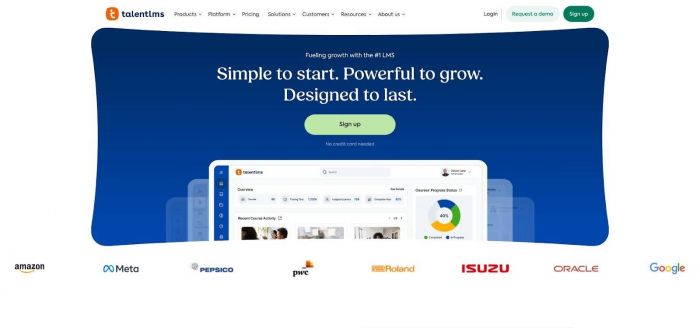
Inside the portal, you can drag and drop a video, import a PDF, or open TalentCraft, the built-in AI course builder, to outline content and generate quiz questions in seconds. Dashboards that use points, badges, and leaderboards keep learners engaged, while admin automations handle expiry reminders and branch-specific enrollments.
Customer feedback supports the usability claim. TalentLMS holds a 4.6-star average from 792 G2 reviews, with “ease of use” ranking first among pros and a support score of 9.0/10; reviewers note that reporting depth feels basic for data-heavy teams.
Choose TalentLMS when budget control is key and you still want solid core features. It launches quickly, scales in small steps, and keeps finance teams on board.
360Learning – crowd-sourced learning at enterprise speed
360Learning turns employee know-how into training assets. Any team member can open a course, and the Google-Docs-style editor lets colleagues comment, edit, and up-vote changes in real time. This collaboration model supports a 4.6-star rating from 541 G2 reviews, where “course creation speed” tops the pros list.
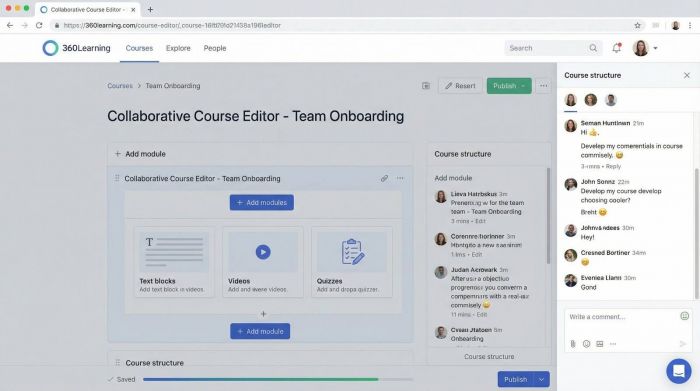
AI that speeds creation: Draft a lesson outline, then open QGen, the platform’s AI engine, to generate multiple-choice questions in seconds. QGen analyses cheat-sheet text or video transcripts and usually suggests three to ten questions per activity.
Feedback loop for rapid iteration: Engagement heatmaps show where learners pause or exit. With one click, you can notify the original author for edits, closing the distance between “course launched” and “course improved.”
Core LMS essentials include SCORM/xAPI imports, learning paths, enrollment rules, and SSO connectors, yet the peer-to-peer model remains the headline feature. If you want marketing to teach sales, engineers to teach support, and product updates to reach everyone within days, 360Learning keeps knowledge flowing.
Docebo – enterprise-grade personalization without the IT headache
Docebo holds a 4.3-star rating from 741 G2 reviewers, and “AI-powered recommendations” tops the pros list.
Personalization on autopilot: Docebo’s AI recommends courses based on each learner’s role, skills, and past activity. For admins, the same engine auto-tags new content and suggests skills, saving hours of catalog work.
Connects to almost anything: The Docebo Connect module offers recipes for more than 400 third-party systems such as Salesforce, HubSpot, Workday, and Slack, so training data flows where you need it. Open REST APIs let developers trigger events like a refresher course when a deal stalls. That deep integration ecosystem is also a big reason Docebo shows up in several independent round-ups of the best learning management systems for 2026, providing extra validation for enterprise buyers.
What to budget: Contracts usually start around US $25k–$30k per year for 500 active users, though pricing shifts with audience size and add-ons. Companies renew because Docebo lifts completion rates while trimming manual admin work.
Choose Docebo when scale, integrations, and AI-driven personalization sit high on your 2026 priority list and you have a budget to match.
SAP Litmos – compliance content on tap
SAP Litmos focuses on mandatory training. Its catalog includes more than 2,500 off-the-shelf courses covering OSHA, GDPR, HIPAA, and other critical topics, letting you launch a compliant program in days, not quarters.
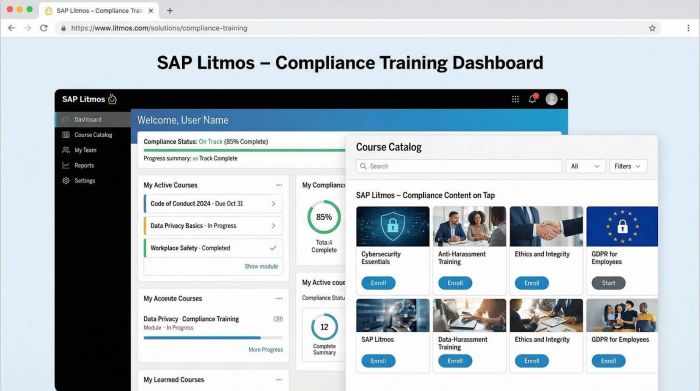
Keep certificates current: Learners receive automatic renewal reminders, while managers view color-coded dashboards that flag anyone at risk of expiry. Badges, leaderboards, and an in-app virtual coach lift completion rates without diluting urgency.
Ready for the field: Litmos connects to 13 pre-built HRIS and CRM systems and supports offline mobile playback, a plus for technicians with spotty connectivity. After its 2023 spin-off, the company accelerated release cycles and added an AI assistant that suggests micro-learning refreshers before compliance gaps appear.
User sentiment stays steady. Litmos holds a 4.3-star rating across 678 G2 reviews, with “ease of use” and “training content” leading the pros list.
Choose Litmos when regulatory pressure is non-negotiable and you prefer to curate rather than create. It delivers the fastest path to audit-ready status with minimal lift from your team.
LearnUpon – one hub, many audiences
LearnUpon lets you spin up individually branded portals for each group you train, including employees, resellers, and franchisees, while managing everything from a single admin console. One customer operates more than 800 portals on one instance, proving the model scales.
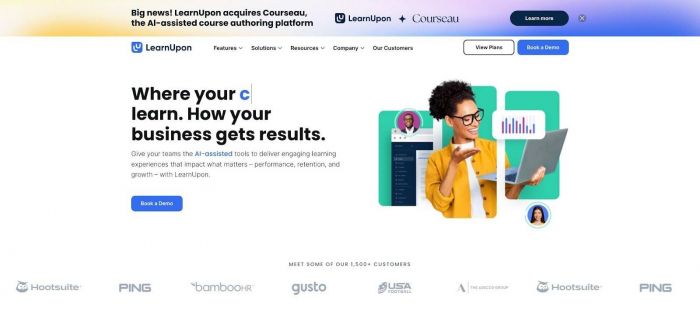
Why it feels simple: Create a portal in seconds, assign courses, set automation rules, and move on. Learners view only their own portal, while admins still pull a unified report across every site. This saves hours compared with juggling multiple LMS accounts.
Service with receipts: LearnUpon scores 9.6/10 for Quality of Support on G2 and holds a 4.7-star average from 513 reviewers. Tickets usually receive a first response in under four business hours, and user-requested features appear in quarterly releases.
Feature depth sits in the practical middle: solid authoring, quizzes, webinar integrations, and a partner-tracking dashboard added in January 2026. If you need extensive AI personalization, look elsewhere; for clean multi-audience logistics, LearnUpon delivers clear value.
Conclusion
Cloud-based LMS platforms are no longer just “nice-to-have” training portals—they’re the core infrastructure behind onboarding, compliance, enablement, and skills development. With most LMS deployments already running in the cloud and AI becoming a baseline expectation (not a bonus), the smartest shortlist for 2026 is the one that matches your training gaps to the platform’s real strengths.
If you want the fastest rollout with predictable pricing, GoSkills and TalentLMS keep things simple and scalable. If your training success depends on internal experts sharing knowledge quickly, 360Learning is built for peer-powered creation. For multi-audience training across employees, partners, and customers, LearnUpon is one of the cleanest portal-based systems available. If compliance is your make-or-break requirement, SAP Litmos delivers the quickest path to audit-ready training. And if personalization, integrations, and enterprise scale are top priorities, Docebo is the heavyweight contender.
The best LMS for 2026 isn’t the one with the longest feature list—it’s the one your team will actually use, your admins can manage without friction, and your learners will complete without being chased.
FAQ
1) What is a cloud-based LMS?
A cloud-based Learning Management System (LMS) is hosted online and delivered as SaaS (Software-as-a-Service). You log in through a browser, updates happen automatically, and you don’t manage servers or local installations.
2) Why are cloud LMS platforms dominating the market?
Because they’re easier to deploy, scale, and maintain. Cloud LMS tools support remote teams, mobile learning, rapid content updates, and integrations—all with lower IT dependency than on-premise systems.
3) What are the biggest LMS trends for 2026?
The biggest trends include:
● AI course creation (turning PDFs/slides into lessons and quizzes)
● Skills-based learning and personalized recommendations
● Automation (enrollments, reminders, recertification workflows)
● Better analytics tied to business outcomes (not just completion rates)
● Multi-audience portals for partners/customers
4) How do I choose the right LMS for my company?
Start by identifying your #1 training problem:
● Need fast setup + simplicity → GoSkills
● Need lowest cost + core features → TalentLMS
● Need peer-driven creation at scale → 360Learning
● Need many training audiences + portals → LearnUpon
● Need compliance training + course catalog → SAP Litmos
● Need enterprise personalization + integrations → Docebo
5) Which platform is best for small teams or startups?
TalentLMS is often the best entry point because it offers a true free tier and low-cost paid plans. GoSkills is also strong if you want quick course building and a smooth admin experience.
6) Which LMS is best for compliance training?
SAP Litmos is built around compliance workflows and includes a large ready-made compliance library. It’s ideal when you need certifications, tracking, and renewals to run automatically.
7) Which LMS has the strongest AI features?
For easy AI course creation, GoSkills (Genie) and TalentLMS (TalentCraft) are strong. For enterprise AI personalization and recommendations, Docebo typically leads.
8) Which LMS is best for collaborative course creation?
360Learning is designed for collaboration. It’s ideal when learning content comes from internal experts across departments and you want fast iteration with feedback loops.
9) Do these LMS platforms support SCORM or xAPI?
Most modern platforms do. In the comparison list:
● 360Learning supports SCORM/xAPI imports
● Enterprise platforms like Docebo and Litmos typically support SCORM (and often xAPI)
Always verify your specific version and content requirements during trials.
10) What’s the difference between “registered users” and “active users” pricing?
● Registered users = everyone who has an account in the LMS
● Active users = users who log in or train during a billing cycle
Active-user pricing is often better for seasonal or sporadic training programs.
11) Can I train external customers or partners using these LMS platforms?
Yes—especially LearnUpon, which is designed for multi-audience portals. Docebo is also strong for extended enterprise use cases, and Litmos supports mobile/offline learning for distributed workforces.
12) What features should be non-negotiable in 2026?
At minimum, look for:
● Built-in course authoring or easy imports
● Assessments + certificates
● Automation (enrollments, reminders, recertifications)
● Analytics dashboards that go beyond completion rates
● SSO + integrations (or API access)
● A vendor with strong release momentum and support ratings
13) Should I prioritize AI, content library, or integrations?
It depends on your situation:
● If you’re short on internal content → prioritize content libraries (Litmos, GoSkills)
● If you’re building new training fast → prioritize AI course building (GoSkills, TalentLMS)
● If you need training connected to HR/CRM systems → prioritize integrations (Docebo)
14) How long does it usually take to implement a cloud LMS?
Implementation ranges widely:
● Simple platforms: same day to 2 weeks
● Mid-size deployments: 2–6 weeks
● Enterprise deployments with integrations: 6–12+ weeks
A pilot with 10–50 users is the fastest way to validate rollout time.
Post Comment
Be the first to post comment!